
OSX.FlexiSpy
ThreatDown is now the name of the Malwarebytes line of business products. References to Malwarebytes below reflect the amazing technology used to first identify the threat.
Short bio
OSX.FlexiSpy is Malwarebytes’ detection name for a commercial monitoring software that targets MacOS systems.
Type of infection
OSX.FlexiSpy requires administrator access, so the attacker has to trick the target into installing or allowing to install the software.
Malicious behavior
OSX.FlexiSpy is capable of capturing chat messages, emails, browser activity, screenshots, and location tracking.
Aftermath
Because OSX.FlexiSpy can record communications and activity, unauthorized installation on someone else’s device raises serious privacy and legal concerns.
Protection
Malwarebytes for Mac detects and removes OSX.FlexiSpy.
Business remediation
How to remove OSX.FlexiSpy with the ThreatDown console
You can use the ThreatDown console to scan endpoints.

Nebula endpoint tasks menu
Choose the Scan + Quarantine option. Afterwards you can check the Detections page to see which threats were found.
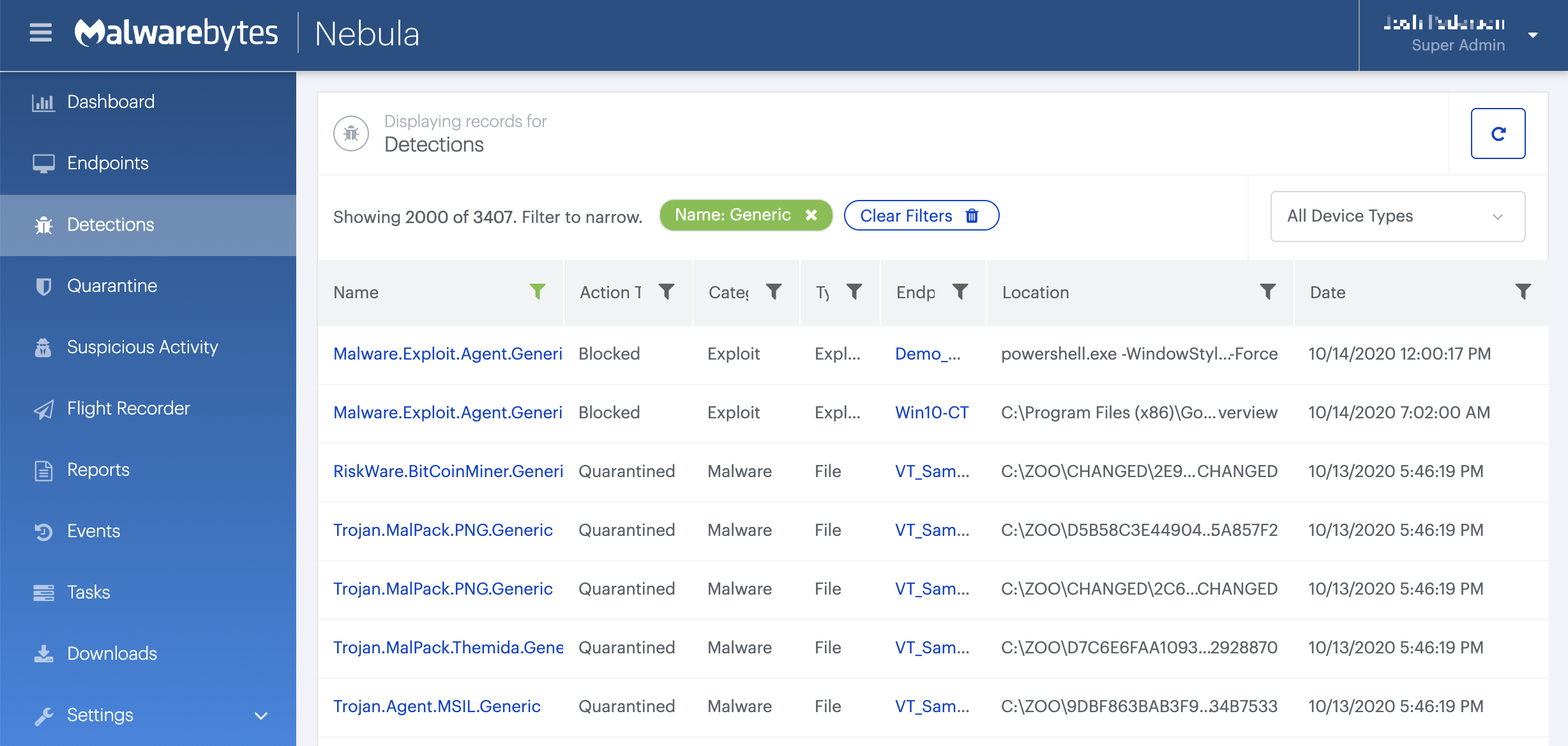
On the Quarantine page you can see which threats were quarantined and restore them if necessary.

Home remediation
Malwarebytes for Mac will detect and remove the components of this malware.
- Download and install the latest version of Malwarebytes for Mac.
- Click the “Scan Now” button to perform a system scan.
- If threats are detected during the scan, a count of detected threats is displayed. More detailed threat information is displayed after the scan completes.
- Click “Confirm” to move the detected threats to Quarantaine.
- If a restart is required to complete remediation of threats detected during a scan, you will be notified. When a restart is required, please remember to save all work before clicking “Restart”.