
OSX.WireLurker
ThreatDown is now the name of the Malwarebytes line of business products. References to Malwarebytes below reflect the amazing technology used to first identify the threat.
Short bio
OSX.WireLurker is Malwarebytes’ detection name for a Trojan that targets both MacOS and iOS systems.
Type of infection
MacOS devices are usually infected by installing a malicious app from an unofficial app store. Once a MacOS system is infected with OSX.WireLurker it will spread to connected iOS devices.
On the infected device OSX.WireLurker gathers information which it sends to a Command & Control (C2) server and it’s capable of installing additional malware.
Protection
Malwarebytes for Mac and ThreatDown detect and remove OSX.WireLurker.
Business remediation
How to remove OSX.WireLurker with the ThreatDown console
You can use the ThreatDown console to scan endpoints.

Nebula endpoint tasks menu
Choose the Scan + Quarantine option. Afterwards you can check the Detections page to see which threats were found.
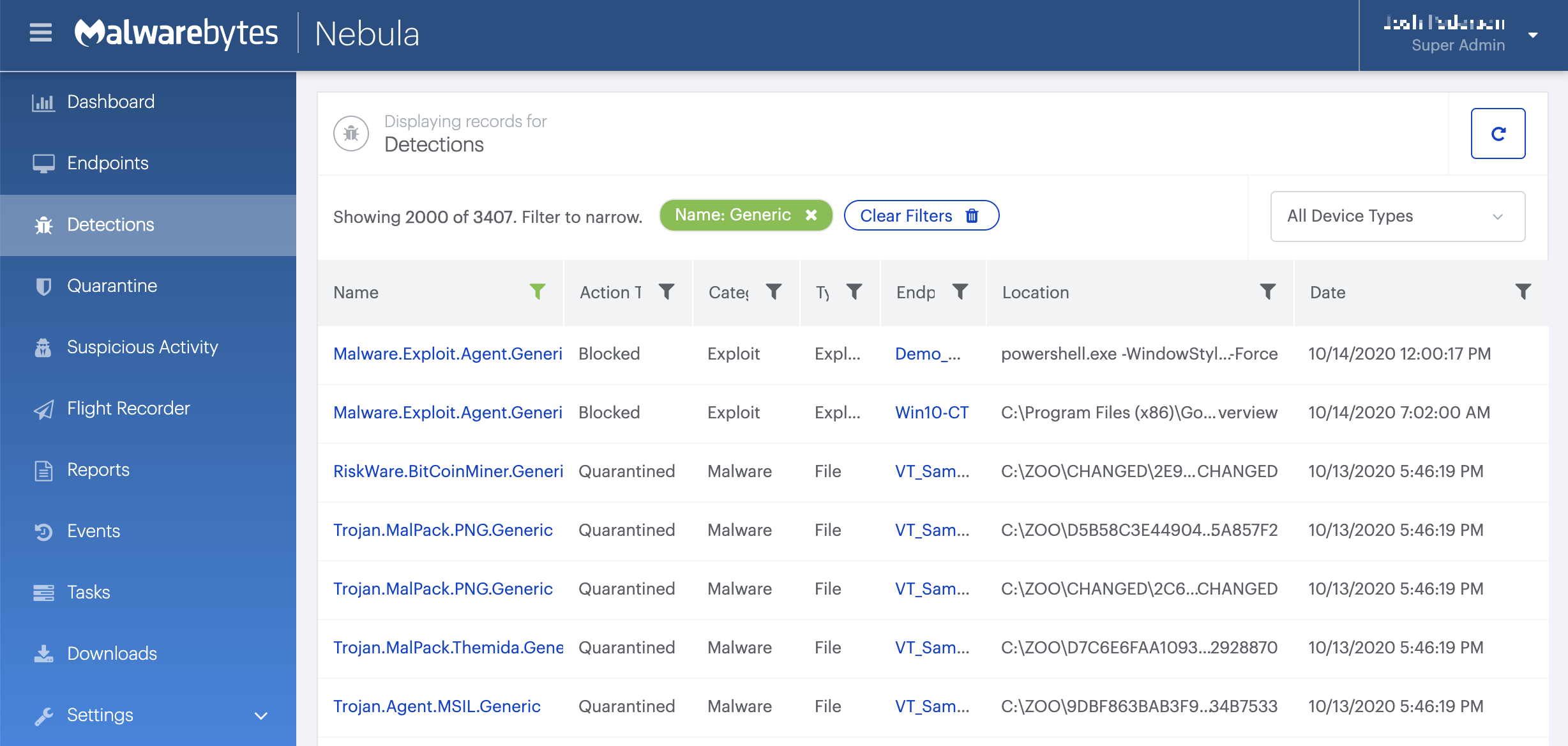
On the Quarantine page you can see which threats were quarantined and restore them if necessary.

Home remediation
Malwarebytes for Mac will detect and remove the components of this malware.
Download and install the latest version of Malwarebytes for Mac.
Click the “Scan Now” button to perform a system scan.
If threats are detected during the scan, a count of detected threats is displayed. More detailed threat information is displayed after the scan completes.
Click “Confirm” to move the detected threats to Quarantaine.
If a restart is required to complete remediation of threats detected during a scan, you will be notified. When a restart is required, please remember to save all work before clicking “Restart”.